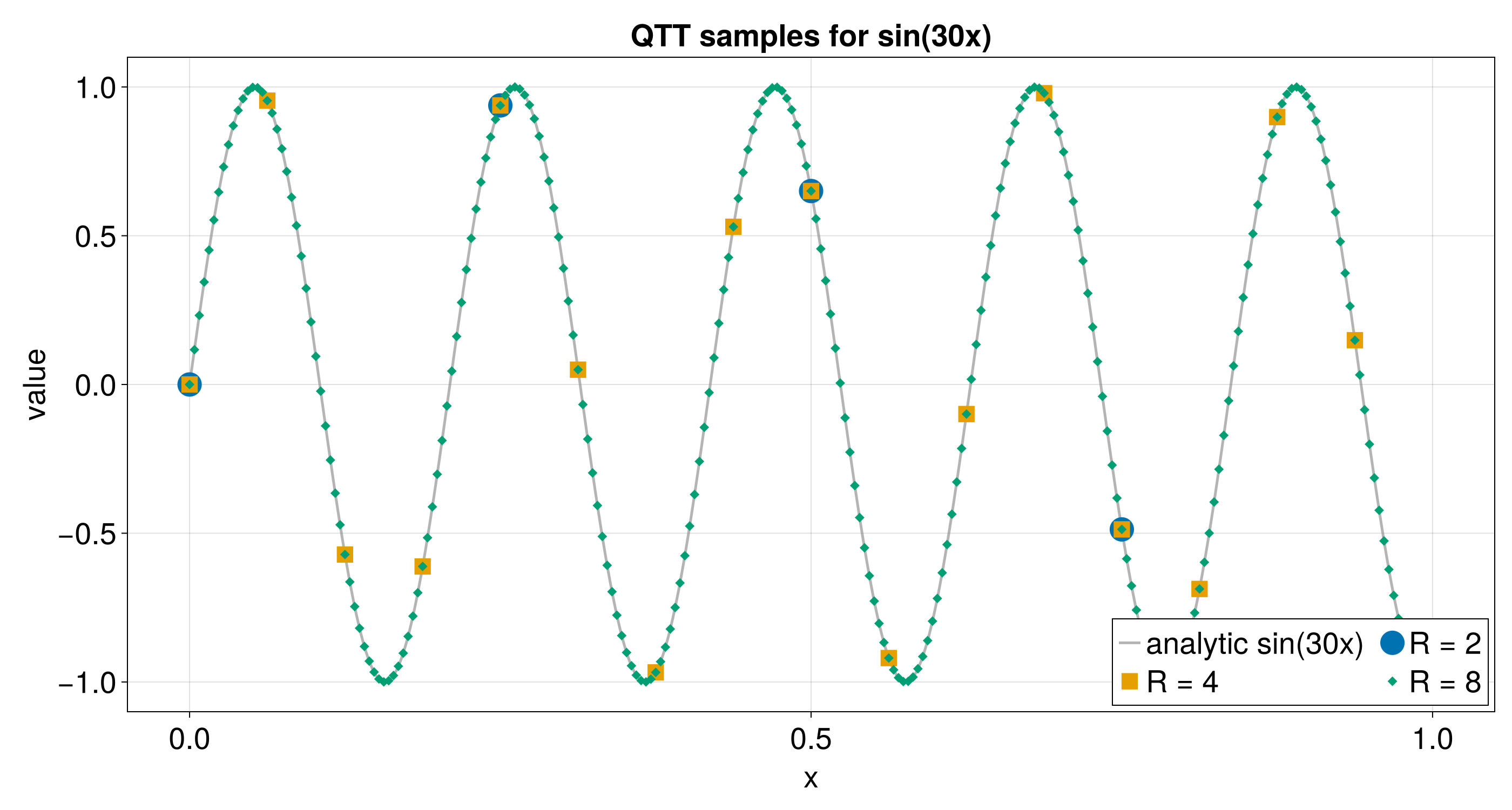
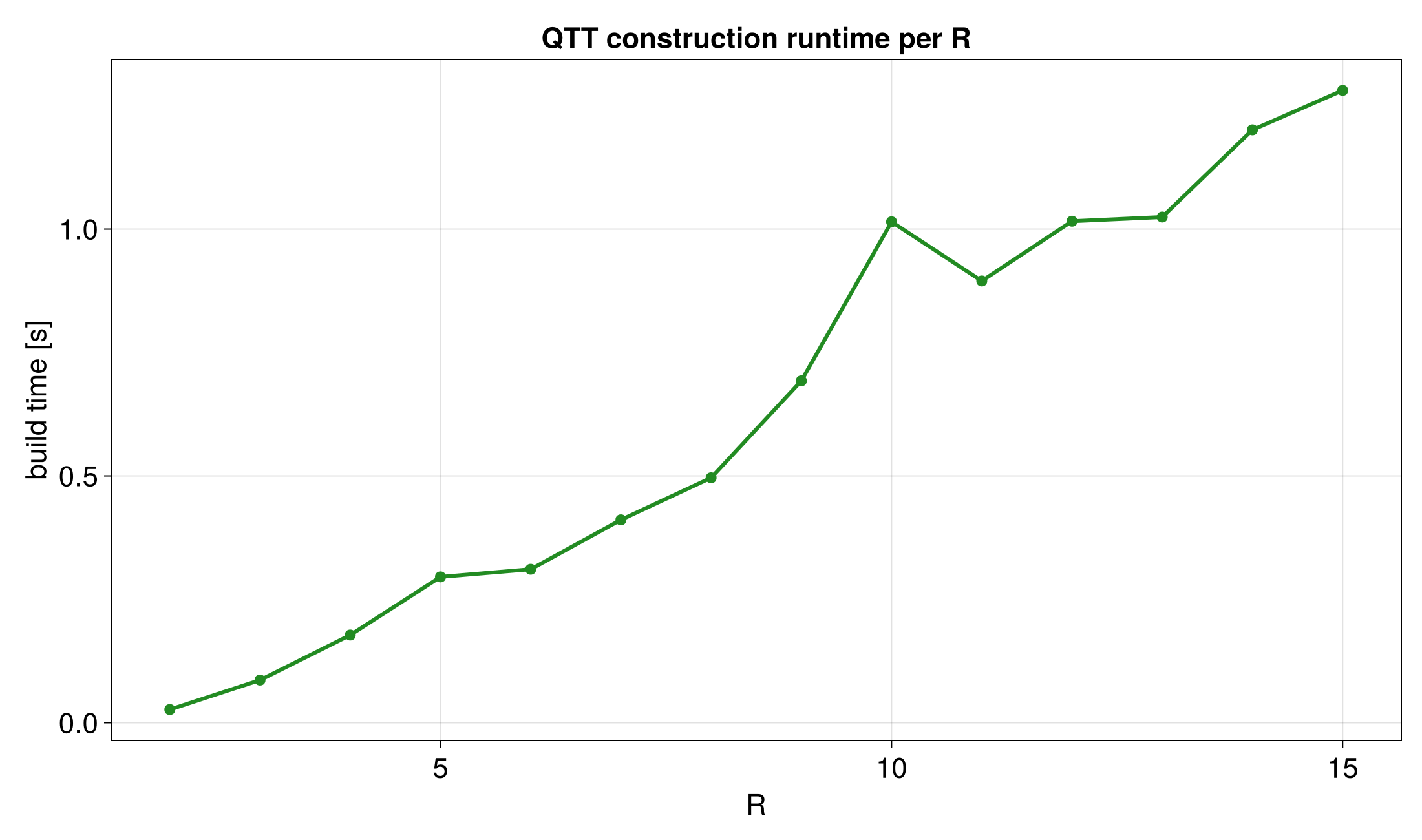
Sweep over Bit Depth
The bit depth R sets the number of grid points: 2^R. Increasing R
usually improves resolution, but it may also increase build time or bond
dimensions.
Runnable source: docs/tutorial-code/src/bin/qtt_r_sweep.rs
Key API Pieces
The core loop changes only the grid size. The QTCI call stays the same.
The target function is f(x) = sin(10x) on the unit interval, with the
zero-based discrete grid index mapped to x in [0, 1).
fn main() -> anyhow::Result<()> {
use tensor4all_quanticstci::{
    pointwise_index_batch,quanticscrossinterpolate_discrete_batch, QtciOptions};
let mut point_counts = Vec::new();

for bits in [7usize, 8] {
    let size = 1usize << bits;
    let sizes = [size];
    let target_function = |x: f64| -> f64 { (10.0 * x).sin() };
    let f = move |idx: &[usize]| -> f64 {
        let x = idx[0] as f64 / size as f64;
        target_function(x)
    };
    let options = QtciOptions::default()
        .with_verbosity(0);
    let (qtt, _ranks, _errors) =
        quanticscrossinterpolate_discrete_batch::<f64, _>(&sizes, pointwise_index_batch(f), None, options)?;

    let last_grid_index = size - 1;
    let x_last = last_grid_index as f64 / size as f64;
    assert!((qtt.evaluate(&[last_grid_index])? - target_function(x_last)).abs() < 1e-8);
    point_counts.push(size);
}

assert_eq!(point_counts, vec![128, 256]);
Ok(())
}
Use sweeps like this when choosing a grid before running a larger computation.
What It Computes
The example repeats the same QTT construction for several bit depths and writes
the value error, runtime, and sample curves. The runnable binary sweeps
R = 2..15 for sin(30x) and checks every sampled value against that function
with maximum absolute error below 1e-8. The shorter snippet above uses
sin(10x) to illustrate the API.
For a faster validation run, set QTT_R_SWEEP_MAX_BITS to an integer from 2
through 15. CI uses 10: all depths from 2 through 10 and every grid point at
those depths are still checked and exported. The default remains 15 so the
published plots retain their full range.